Module 3: Context Retriever
What you're building
So far your agent can search static documents. But real questions like "Do I have any upcoming appointments?" need live data that changes constantly.
Context Retriever lets you describe your data once, then auto-generates tools your agent can call at runtime.
| Vector Search | Context Retriever | |
|---|---|---|
| Data | Static documents | Live business data |
| Query | "What's the cancellation policy?" | "Do I have any upcoming appointments?" |
| How | Searches by meaning | Queries patients, appointments, providers directly |
Cloud setup
1. Create a Context Retriever service
- Go to Context Retriever in the Redis Cloud console.
- Click Create custom service.
-
Fill in the general settings:
- Service name:
healthcare - Database: select your workshop database
- Service name:
2. Define your first entity
- Click Entities, then Add Entity.
-
Fill in:
- Entity name:
Patient - Key Template:
healthcare_patient:{id}
The key template tells Context Retriever the pattern behind your Redis keys. From this one pattern, it can find any patient record instantly.
- Entity name:
-
Click Fields, then Auto-Detect Fields.
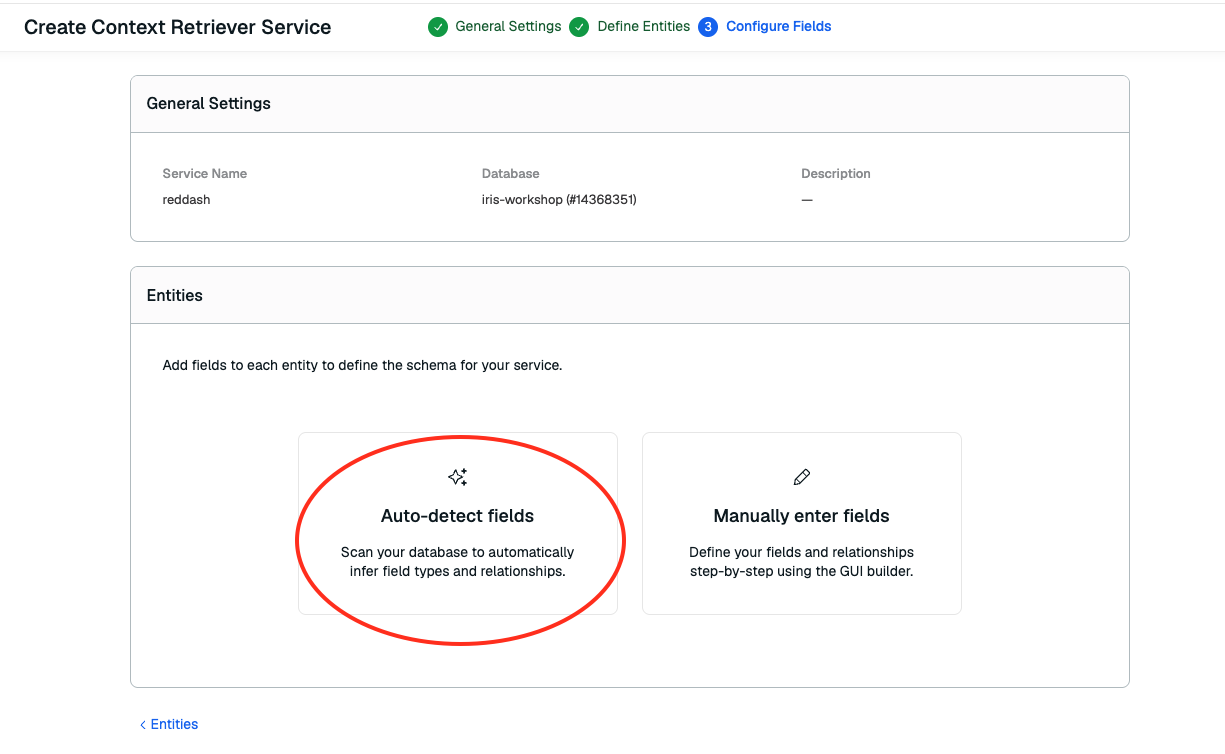
It just scanned your database and figured out the schema automatically. Field names, types, and which fields link to other entities.
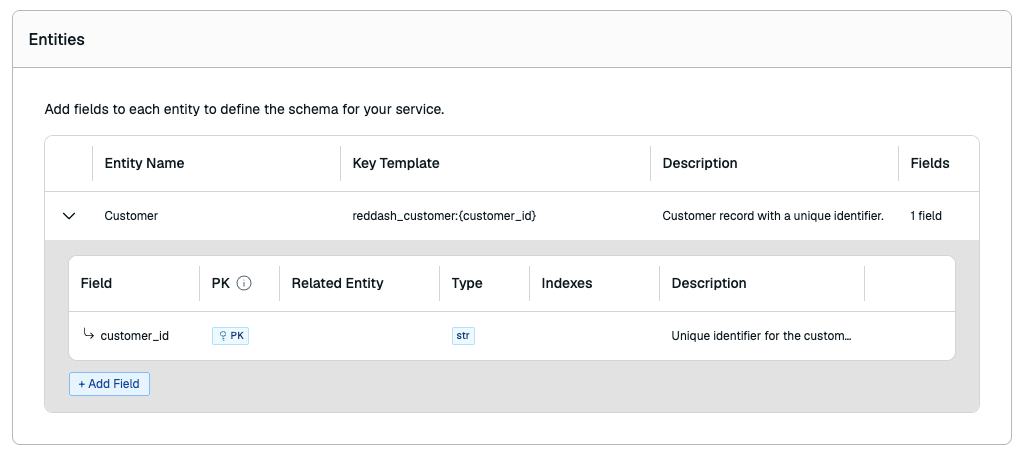
-
Click Create.
3. Save your Surface ID
After creating the service, look at the URL in your browser:
Copy everything after /context-retriever/ and paste it in your .env file:
4. Save your Admin Key
-
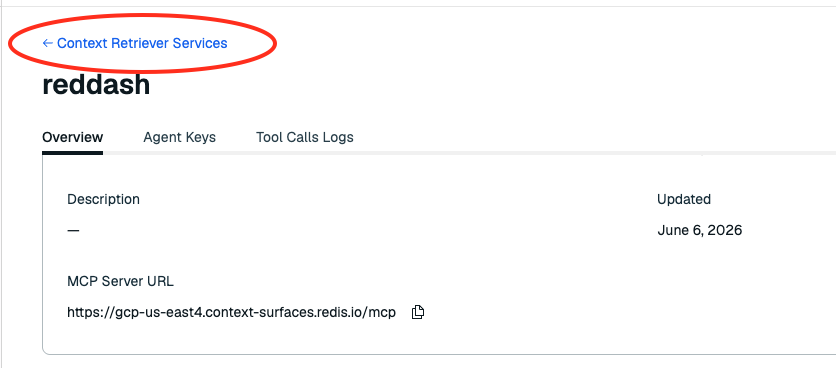
Click back to Context Retriever Surfaces.
-
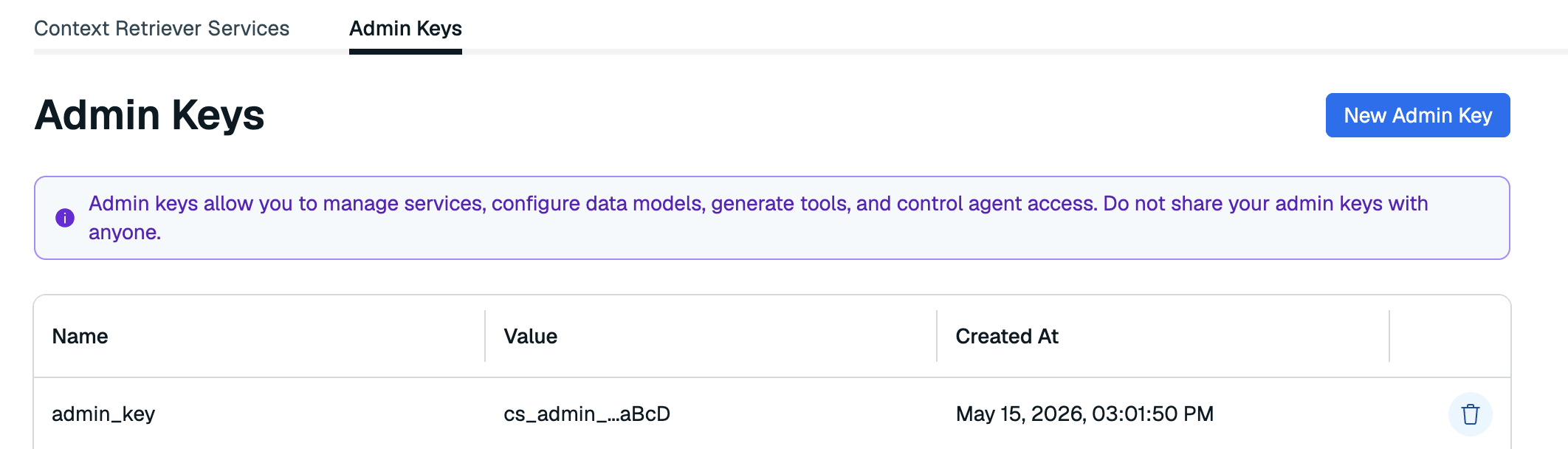
Click the Admin Keys tab and create a new key.
-
Copy the key and save it in your
.envfile:
5. Complete the surface and load data
You defined one entity. The app needs all 7 (Location, Provider, Patient, Appointment, Referral, Waitlist, HealthDoc). Run this to add the rest automatically:
What you just built
Go back to your Context Retriever service in the Redis Cloud console and scroll down.
7 entities mapped to your Redis keys with full field definitions and relationships:
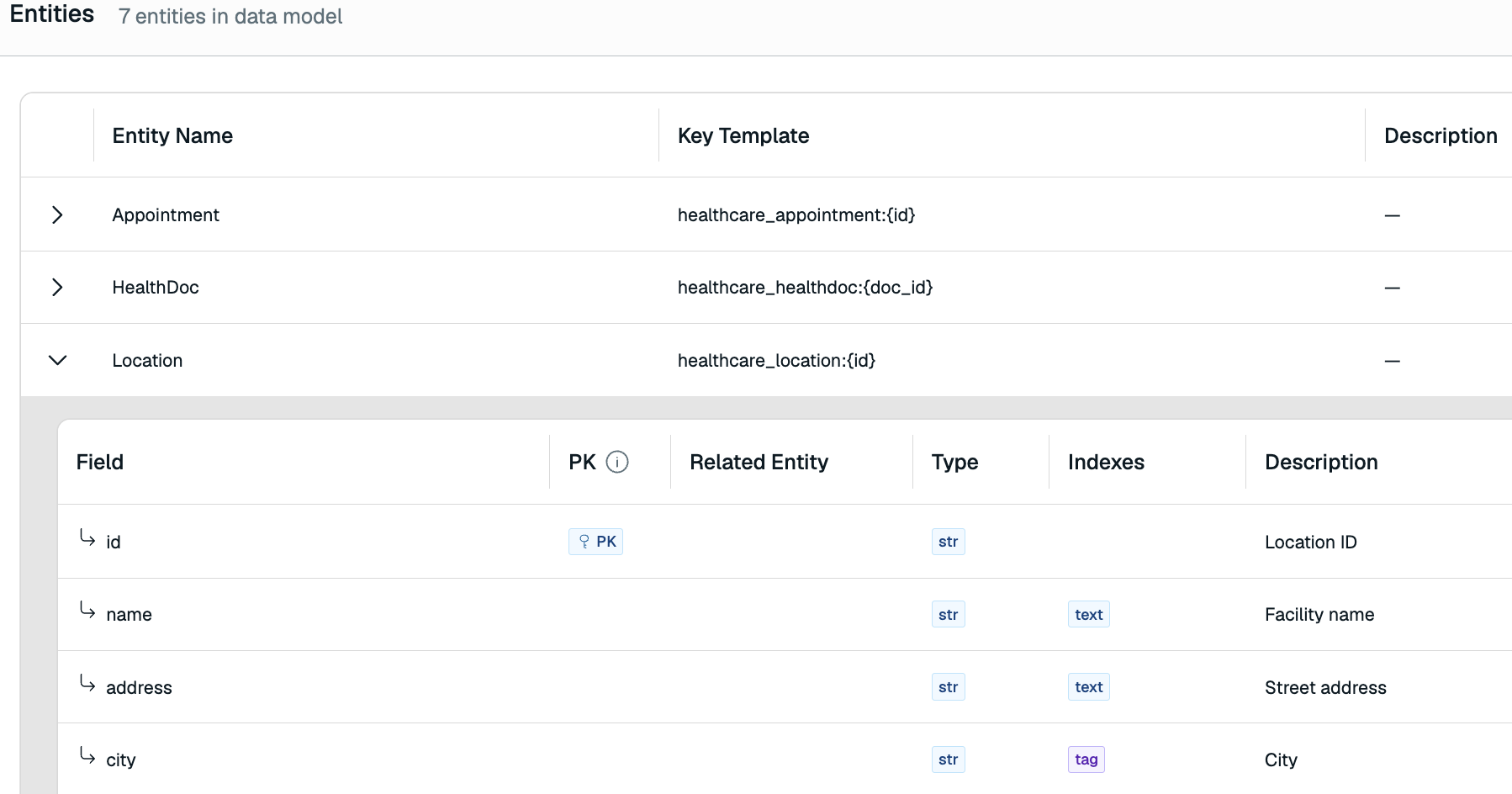
Expand any entity.
Appointment.patient_id→Patient.Appointment.provider_id→Provider. These relationships let your agent follow the data trail across entities, just like a human care coordinator would.
Auto-generated MCP tools your agent can now call:
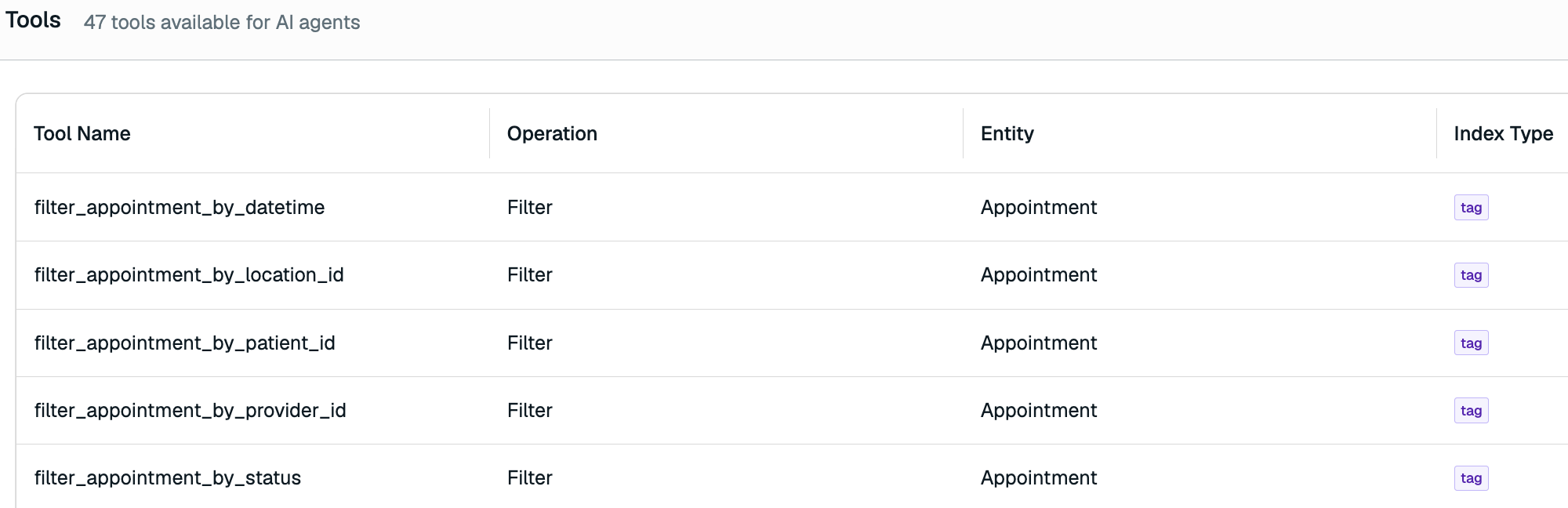
Redis automatically figured out the best way for your agent to access your business data and created these tools as pathways your agent can call at runtime.
filter_appointment_by_patient_id,filter_referral_by_urgency,search_patient_by_text, and more.
Verify
Stop the running server (Ctrl+C) and restart:
Open localhost:3040.
The mode toggle now shows Real-time Context.
- Switch to Real-time Context mode
- Ask: "Do I have any upcoming appointments?"
- Watch the activity panel on the right as the agent chains tool calls to pull your appointments, providers, and locations
- Try: "What's the status of my referrals?"
- Switch back to Simple RAG and ask the same question to see the difference