Module 3: Context Retriever
What you're building
So far your agent can search static documents. But real questions like "Walk me through Oracle's latest quarter" need live data that changes constantly.
Context Retriever lets you describe your data once, then auto-generates tools your agent can call at runtime.
| Vector Search | Context Retriever | |
|---|---|---|
| Data | Static documents | Live financial data |
| Query | "What are NVIDIA's revenue trends?" | "Walk me through Oracle's latest quarter" |
| How | Searches by meaning | Queries companies, filings, metrics directly |
Cloud setup
1. Create a Context Retriever service
- Go to Context Retriever in the Redis Cloud console.
- Click Create custom service.
-
Fill in the general settings:
- Service name:
finance - Database: select your workshop database
- Service name:
2. Define your first entity
- Click Entities, then Add Entity.
-
Fill in:
- Entity name:
AnalystProfile - Key Template:
finance_researcher_analyst_profile:{analyst_id}
The key template tells Context Retriever the pattern behind your Redis keys. From this one pattern, it can find any analyst profile instantly.
- Entity name:
-
Click Fields, then Auto-Detect Fields.
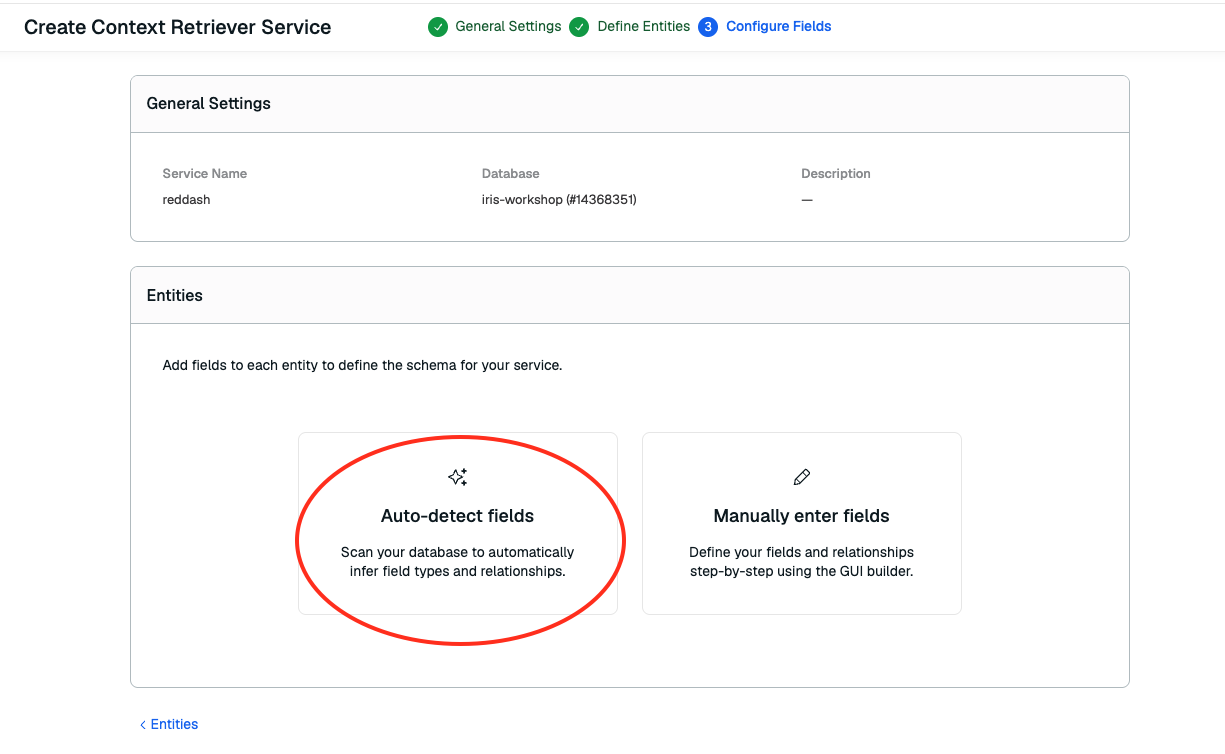
It just scanned your database and figured out the schema automatically. Field names, types, and which fields link to other entities.
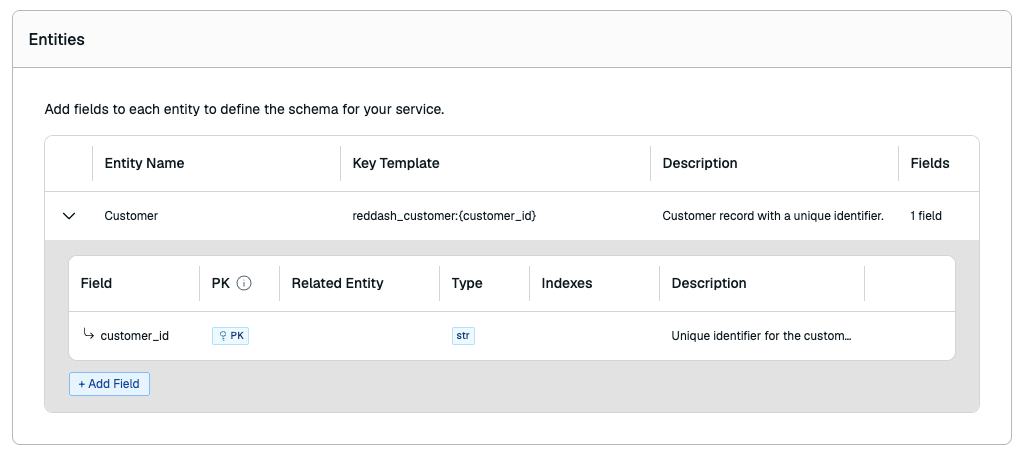
-
Click Create.
3. Save your Surface ID
After creating the service, look at the URL in your browser:
Copy everything after /context-retriever/ and paste it in your .env file:
4. Save your Admin Key
-
Click back to Context Retriever Surfaces.
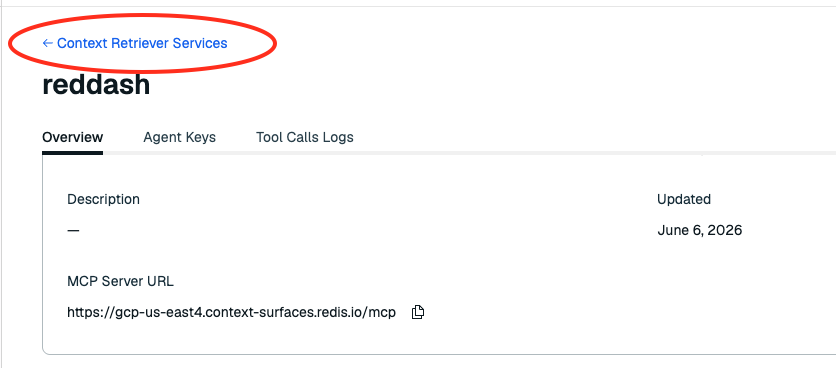
-
Click the Admin Keys tab and create a new key.
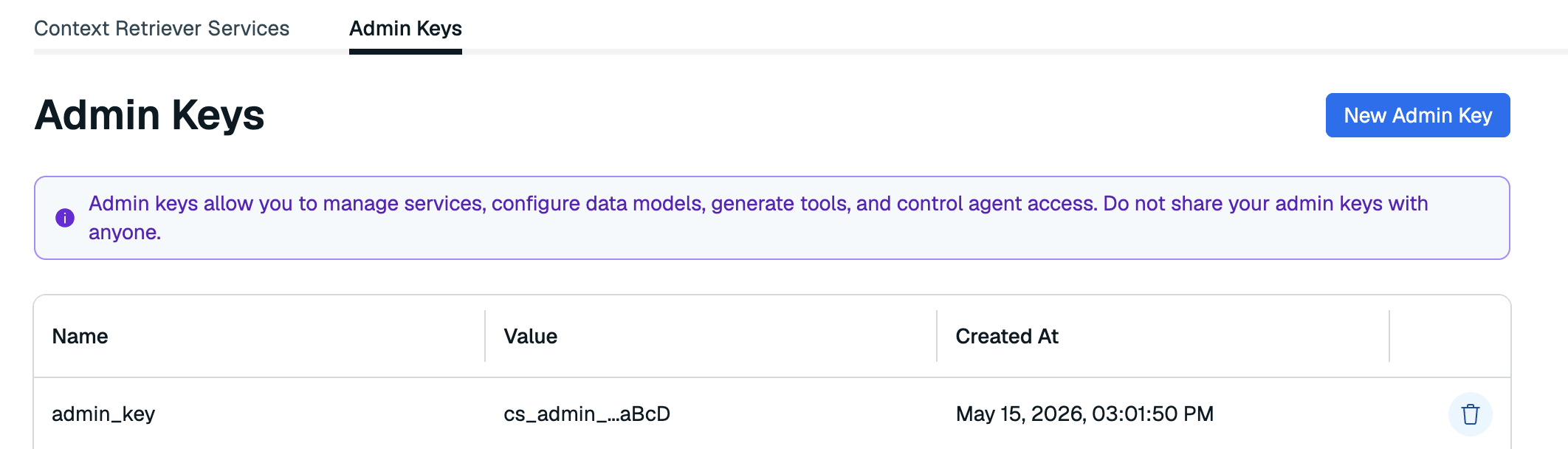
-
Copy the key and save it in your
.envfile:
5. Complete the surface and load data
You defined one entity. The app needs all 7 (AnalystProfile, Company, ResearchDocument, ResearchChunk, FinancialMetricPoint, PriceBar, CoverageEvent). Run this to add the rest automatically:
What you just built
Go back to your Context Retriever service in the Redis Cloud console and scroll down.
7 entities mapped to your Redis keys with full field definitions and relationships:
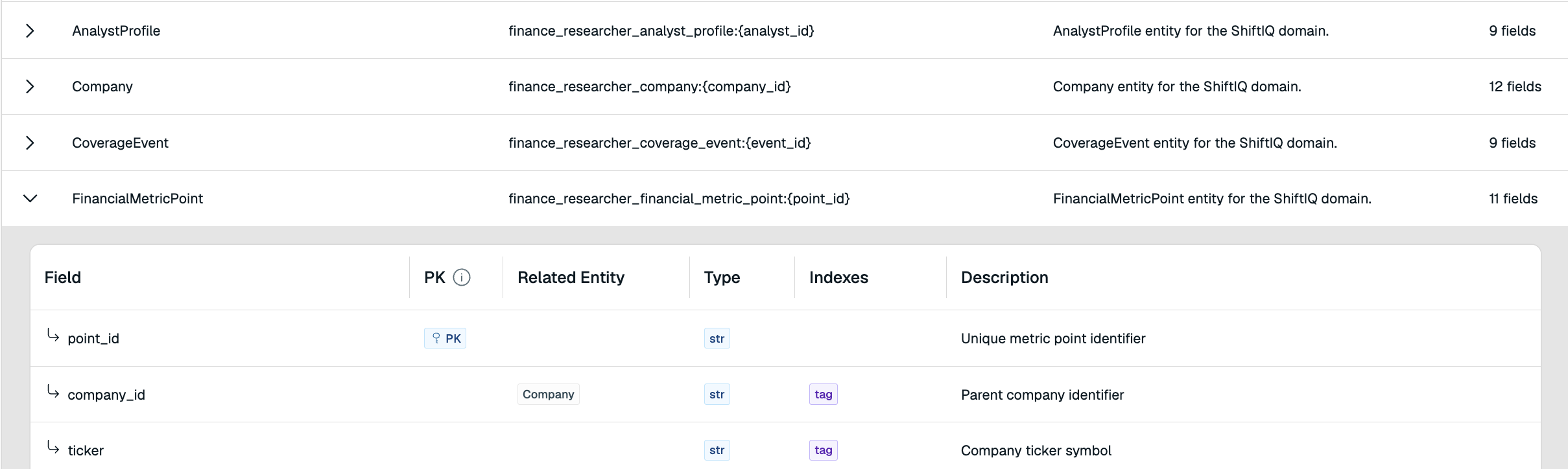
Expand any entity.
CoverageEvent.analyst_id→AnalystProfile.FinancialMetricPoint.company_ticker→Company. These relationships let your agent follow the data trail across entities, just like a human analyst would.
Auto-generated MCP tools your agent can now call:
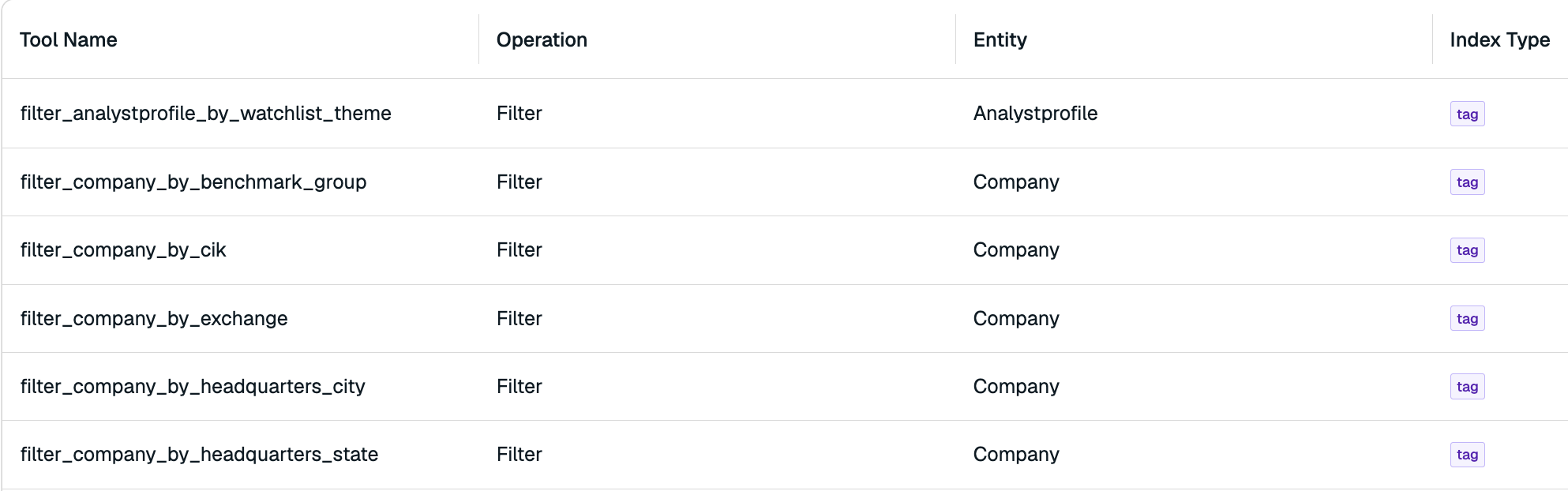
Redis automatically figured out the best way for your agent to access your financial data and created these tools as pathways your agent can call at runtime.
filter_company_by_sector,search_research_chunk_by_text, and more.
Verify
Stop the running server (Ctrl+C) and restart:
Open localhost:3040.
The mode toggle now shows Real-time Context.
- Switch to Real-time Context mode
- Ask: "Walk me through Oracle's latest quarter using both the filing and the structured metrics."
- Watch the activity panel on the right as the agent chains tool calls to pull company data, financial metrics, and research documents
- Try: "What is my semiconductor coverage and analysis preferences?"
- Switch back to Simple RAG and ask the same question to see the difference